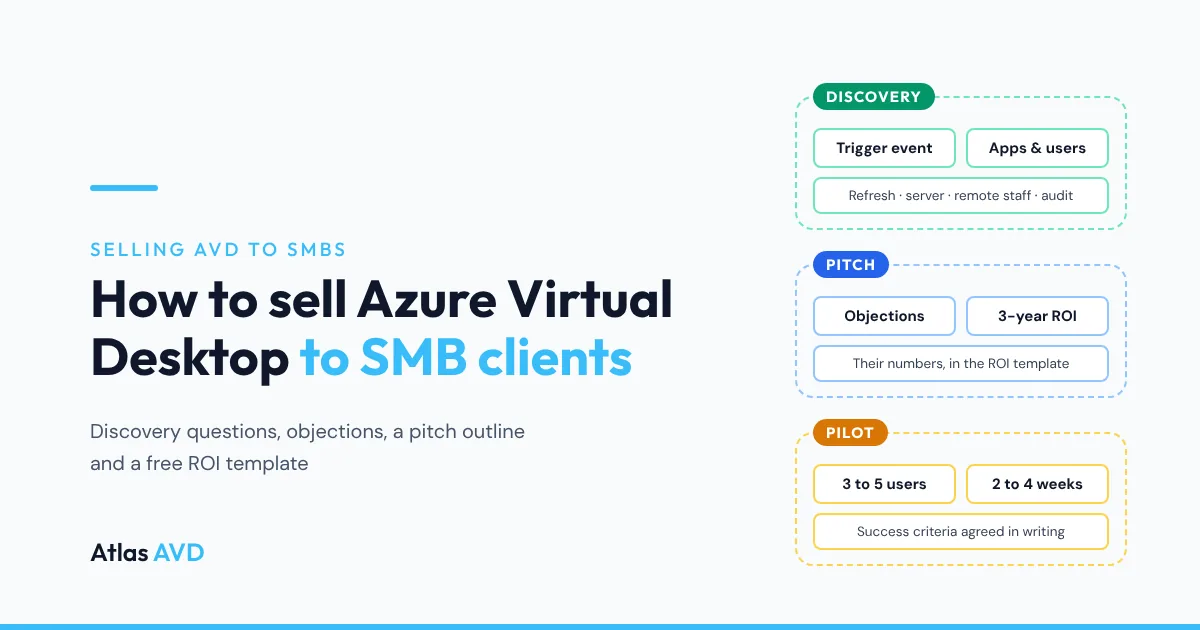
Selling Azure Virtual Desktop (AVD) to an SMB client works when you sell an outcome the owner already wants, such as no laptop refresh, safe access from any device or an end to the office server, and not the technology. Find the trigger event in discovery, qualify out the clients AVD doesn't suit, then propose a short paid pilot backed by a cost comparison built from the client's own numbers.
The short version: most SMBs buy AVD at a moment of change: a hardware refresh, an office move, new remote staff, a server at end of life or a cyber insurance questionnaire. Ask about those first. Answer the "what if the internet goes down" and "isn't the cloud expensive" objections before they're raised, show a 3-year comparison with the free ROI template, and close on a two-to-four week pilot with success criteria the client agreed in writing.
Who to sell AVD to, and who to walk away from
Selling Azure Virtual Desktop is mostly qualifying. A client who fits will feel the benefit in the first week; a client who doesn't will feel every rough edge and blame you for all of them. Look for a reason to change, then check the work suits a hosted desktop.
| Good-fit signal | Why it sells AVD | Poor-fit signal | Why it doesn't |
|---|---|---|---|
| PCs due for replacement, or still on Windows 10 | The desktop moves to Azure, so old or cheap devices keep working | Every user already has a new Windows 11 laptop | The refresh money is spent; the case rests on security and access alone |
| An office server at end of life | Line-of-business apps and files move next to the desktops, not to another box in a cupboard | Nothing runs on-premises and staff only use Microsoft 365 in a browser | There's no desktop app to host, so AVD adds a layer without adding value |
| Staff working from home, other sites or other countries | One desktop, the same apps, from anywhere | Field staff who must work offline for hours | A hosted desktop needs a connection to be useful |
| Contractors, temps or seasonal staff | A desktop for a month without shipping a laptop, and nothing left on their device | Heavy video editing, CAD or 3D work | It can be done on GPU hosts, but it's a specialist project, not an SMB starter sale |
| A cyber insurance or compliance questionnaire asking where data lives | Company data stays in Azure, not on laptops | A team of two or three with no Windows apps | Windows 365 or plain Microsoft 365 is simpler for them |
| A client-server app that's slow over VPN, such as accounting or practice management software | The app runs in the same Azure region as its database | Users rely on local USB devices all day, such as scanners at every desk or dongles | Redirection works for many devices, but test every one before you promise it |
Expect most of your wins to come from the first column of that table. A client with two or more good-fit signals and none of the poor ones is worth a full proposal.
Discovery questions to ask before you pitch
Run discovery as a conversation, not a form. The goal is to find the trigger, the budget owner and the apps that could break the project, in that order. Ask these twelve questions, and write down the answers in the client's own words: you'll quote them back in the proposal.
| # | Question | Why you ask it |
|---|---|---|
| 1 | What's changing in the business in the next 12 months? | Finds the trigger: hiring, a move, a new site, a sale, an audit |
| 2 | When are your PCs due for replacement, and what did the last batch cost? | Gives you the refresh number for the ROI comparison |
| 3 | Is anyone still on Windows 10? | Windows 10 reached end of support on 14 October 2025, so this is a live risk |
| 4 | What runs on the server in the office, and when was it bought? | Line-of-business apps, file shares and an ageing server are the strongest AVD case |
| 5 | Which apps does everyone use every day, and which does only one team use? | Separates the base image from the apps that need testing |
| 6 | Who works away from the office, and how do they connect today? | VPN pain is a buying signal |
| 7 | Do you hire temps, contractors or seasonal staff? | Short-term desktops are quick to show and easy to value |
| 8 | Which Microsoft 365 plan are you on? | Business Premium, E3 and E5 already include the AVD access right |
| 9 | Has an insurer, auditor or customer asked how you protect company data? | Gives the project a deadline and a second sponsor |
| 10 | What happens today when a laptop is lost or someone leaves? | Data on devices is a cost the owner already feels |
| 11 | What's your internet connection at each site, and is there a backup line? | Qualifies the network before it becomes an objection |
| 12 | Who signs off on this, and what would make it a success for them? | Finds the decision-maker and the success criteria for the pilot |
If question 8 shows the client is on Microsoft 365 Business Standard or Basic, AVD still works, but each user needs an eligible license first. Business Premium includes the AVD access right, so the upgrade is part of your proposal and often sells on its own merits too (Intune and Defender for Business come with it).
AVD, Windows 365 or neither
Before you pitch AVD, check it's the right answer. Recommending Windows 365 or no virtual desktop at all when it fits better is what earns you the next project.
| Option | How it's priced | Best for |
|---|---|---|
| Azure Virtual Desktop | Azure consumption for the session hosts and storage, plus an eligible Microsoft 365 or Windows license per user | Five or more users who share apps, an office server to replace, line-of-business software, staff on fixed hours you can scale around |
| Windows 365 | A fixed fee per user per month for a personal Cloud PC; Windows 365 Business covers up to 300 seats | Small teams who each need their own PC, predictable billing, little customization |
| Neither: Microsoft 365, Intune and the existing laptops | Microsoft 365 licenses only | Teams that only use web and Microsoft 365 apps, with no server and no line-of-business software |
The difference that matters in an SMB sale is sharing. AVD's multi-session hosts put many users on one virtual machine, and you can switch the hosts off outside working hours, so the per-user cost falls as the team grows. Windows 365 gives each user their own Cloud PC at a fixed price, which is simpler to explain and to budget. AVD vs Windows 365 compares the two in detail.
Answering the objections you'll hear
Most SMB objections are reasonable questions about risk. Answer the worry behind each one, and where you can, offer to prove the answer in the pilot rather than argue it in the meeting.
| Objection | What's behind it | How to answer |
|---|---|---|
| "It sounds expensive." | They're comparing a monthly bill with a laptop they already own | Put both on the same 3-year page with the ROI template: devices, server, support and Azure. If AVD costs more for this client, show that too, and what they get for the difference |
| "What happens if the internet goes down?" | A real risk they've lived through | A backup connection, such as a 4G or 5G router, is cheaper than a server. Users can also connect from home or a phone hotspot, which an office server can't offer |
| "We tried remote desktop before and it was slow." | A bad experience with a server in a cupboard or a VPN | Hosts run in an Azure region near them, and the pilot proves it on their own connection. Ask them to name the app that was slow and test that first |
| "Our accounting app won't work in the cloud." | Fear of breaking the one app that matters | Most client-server apps run well when the app and its database sit in the same Azure region. See QuickBooks Desktop on AVD or Sage on AVD for worked examples, and test it in the pilot |
| "Is our data safe in Microsoft's cloud?" | Unclear where data lives and who can see it | The desktops and data live in the client's own Azure subscription, in a region they choose, and nothing stays on a lost laptop |
| "We just bought new laptops." | Sunk cost | Keep them. AVD works from the devices they already have; the case moves to security, remote access and the office server |
| "Why not just buy Windows 365?" | They've seen the simpler price | For some teams it's the right answer: say so. For shared apps, an office server to replace or staff on fixed hours, AVD's shared hosts usually cost less |
| "My staff will hate it." | Change fatigue | Start with the people who travel or work from home, who feel the benefit first. A desktop that looks the same everywhere reduces support calls, not adds to them |
Objections about devices are usually about printers, scanners and Macs. AVD on Mac, iPad, Chromebook and thin clients covers what connects and how.
A pitch outline for a 30-minute meeting
Keep the first meeting short and about the client. Ten minutes on them, ten on the proposal, ten on next steps. Use their words from discovery, not a vendor deck.
- Their situation, in their words (3 minutes). Read back the trigger, the apps and the risks they named in discovery. Ask: "Did I get that right?"
- What changes for each person (5 minutes). One sentence per role: the office manager, the remote salesperson, the accountant. Show what a working day looks like from their own device.
- How it works (3 minutes). One picture: their apps and files in their own Azure subscription, reached from any device. Skip host pools, scaling plans and FSLogix unless they ask.
- The numbers (5 minutes). The 3-year comparison from the ROI template: today's route against AVD on thin clients and on existing devices. Show the break-even laptop price; it makes the comparison easy to remember.
- The risks and how you've covered them (4 minutes). Internet, the critical app, printing, security. Name each one before they do.
- What you'll manage (3 minutes). Patching, images, scaling, backups, user support and the monthly report. This is where your service is worth more than the Azure bill.
- The pilot (5 minutes). Who's in it, how long, what it costs and the success criteria. Agree the decision date.
- Next steps (2 minutes). Send the proposal within a day, with the completed ROI template attached.
The proposal itself should fit on two pages: the problem, the solution, the 3-year numbers, the pilot and a monthly price. Put the technical design in an appendix for whoever asks for it.
Building the ROI case with the free template
The AVD ROI template (Excel, .xlsx) is a one-sheet 3-year comparison you fill in during or after discovery. Every input is a blue cell with a note saying where the number comes from, and the results recalculate as you type. It opens with the 100-user worked example from Azure Virtual Desktop ROI, so you can check it against the article before you replace the numbers.
| Line in the template | What to enter | Where to get it |
|---|---|---|
| Users and months compared | Headcount who'll use AVD, and the refresh cycle (36 months for three years) | Discovery questions 2 and 12 |
| Laptop or PC price per user | The client's last hardware quote | The client's invoice or your distributor |
| Thin client price per device | Only if you'll propose thin clients | Your distributor |
| Session hosts and price per hour | Users divided by sessions per host, plus a spare; the VM size's price in their region | The AVD sizing guide and the AVD cost calculator |
| Hours each host runs per month | Business hours with scaling; 730 means always on | Their opening hours |
| Storage and other Azure costs | OS disks, FSLogix profile storage, networking and backup | The Azure pricing calculator |
| One-off project cost | Your migration fee | Your quote |
| Your managed service fee | Your monthly price for the whole client, or 0 to compare platform costs only | Your price list |
| Costs the client stops paying | Only costs that really go away: a server support contract, colocation, a VPN appliance | The client's invoices |
The results are the AVD running cost per month and per user, the 3-year total for a laptop refresh, AVD with thin clients and AVD on existing devices, the difference from the refresh and the break-even laptop price. In the worked example, AVD on existing devices costs $57,273 over 36 months against $140,000 for the refresh.
Three rules keep the numbers credible:
- Use the client's region and hours. Azure prices differ by region, and a host that runs 730 hours a month costs almost three times one that runs 260.
- Leave out what you can't measure. Downtime avoided and faster onboarding are real, but an invented figure undermines every other line. Mention them in the meeting instead.
- Show the result even when it's close. If AVD costs a little more than a refresh, the case is security, access and the server, and the client will trust you more for showing it.
Close on a pilot, not a migration
A short pilot turns "we'll think about it" into a decision with a date. Keep it small, paid and measured.
| Pilot setting | Recommendation |
|---|---|
| Users | Three to five, including the most remote user and the heaviest user of the critical app |
| Length | Two to four weeks, long enough to cover a month-end or a busy week |
| Apps | The base image plus the one app that could break the project |
| Devices | Their own: a laptop, a home PC, a Mac and a phone, if they use them |
| Cost | A fixed fee, credited against the project if they go ahead |
| Success criteria | Agreed in writing before it starts: sign-in time, the critical app's speed, printing, and no lost work |
| Decision | A date in the diary, with the decision-maker from question 12 |
Run the pilot on the same design you'll run in production, scaled down: a small host pool on a schedule, FSLogix profiles and the client's own Azure subscription. Moving a pilot into production is then a matter of adding users, not rebuilding. When the client signs, the MSP client onboarding checklist and the AVD migration checklist cover the move itself, and how MSPs price AVD covers turning the Azure bill and your service into one monthly price.
Where Atlas AVD helps
Everything above works with Azure Virtual Desktop as Microsoft ships it. Atlas AVD is a management platform that deploys into your own Azure subscription, and it helps with the parts of the sale that come after the signature: keeping the Azure bill at the number you quoted, and showing the client what your service did.
- The bill you quoted. Auto On/Off Scheduling and the Autoscale Engine keep hosts off outside working hours, which is where the ROI template's hours-per-month figure comes from.
- Proof at the quarterly review. Cost Intelligence tracks cost per host pool and what Atlas has saved, and Per-Tenant Health Reporting emails each client a scheduled PDF report built from their own data.
- Every client in one place. Atlas Command, part of the optional MSP Capabilities upgrade at $50 per tenant a month, gives you one console for every tenant you run, and white-label branding puts your name on the portal and reports instead of ours.
- A pilot that costs little to run. Atlas AVD is $199 per tenant a month with unlimited AVD users. See Atlas AVD for MSPs and Azure Virtual Desktop for MSPs. Start free, no credit card: the Community plan is free forever for 1 tenant and 1 host pool, or try every feature for 30 days.
FAQ
How do I sell Azure Virtual Desktop to small businesses?
Find a trigger event in discovery, such as a laptop refresh, an office server at end of life, new remote staff or a security questionnaire. Qualify out clients who only use web apps or work offline. Then show a 3-year cost comparison built from the client's own numbers and close on a short paid pilot with agreed success criteria.
What questions should I ask an SMB before proposing AVD?
Ask what's changing in the business, when PCs are due for replacement, what runs on the office server, which apps everyone uses, who works remotely, which Microsoft 365 plan they have, how good their internet is and who signs off. Those answers give you the trigger, the ROI inputs, the risks and the decision-maker.
Do SMB clients need extra licenses for Azure Virtual Desktop?
Each user needs an eligible license for the AVD access right. Microsoft 365 Business Premium, E3, E5 and F3 and Windows Enterprise E3 and E5 include it for Windows 11 Enterprise multi-session. Windows Server session hosts need RDS CALs with Software Assurance or RDS User Subscription Licenses instead. Azure compute and storage are billed separately.
Is Azure Virtual Desktop or Windows 365 better for a small business?
Windows 365 suits small teams who each want their own Cloud PC at a fixed monthly price. Azure Virtual Desktop suits teams who share apps, need to replace an office server or work fixed hours, because multi-session hosts are shared and can be switched off when nobody is working.
What is the biggest objection to AVD from small businesses?
Usually cost, followed by "what if the internet goes down". Answer cost with a 3-year comparison that includes devices, the server and support, not just the monthly Azure bill. Answer the internet question with a backup connection, which costs less than an office server.
How long should an AVD pilot be?
Two to four weeks with three to five users, long enough to include a busy period such as month-end. Agree the success criteria and the decision date in writing before it starts.
Last updated 18 November 2026. Microsoft licensing details are taken from Microsoft Learn as of November 2026: Licensing Azure Virtual Desktop, What is Windows 365? and Windows 10 end of support. The ROI template's example values are the worked example in Azure Virtual Desktop ROI, at East US list prices read on 11 November 2026. Prices and licensing change, so check them before every proposal.