Skip to content

Start your Atlas AVD free trial

Deploy Atlas AVD into your own Azure tenant. No credit card required. Full access for 30 days.

  • 30-day trial
  • No credit card
  • Full feature access
  • Deploys into your Azure tenant

Use your Microsoft work account — the one you sign in to Azure with. Personal addresses like Gmail or Outlook.com won't work.

By continuing, you agree to the Terms of Service and confirm you are authorized to accept them on behalf of your organization.

Next, you'll sign in with Microsoft and choose where Atlas AVD will be deployed.

What happens next

About 15 minutes from here to your own running Atlas AVD.

  1. Sign in with Microsoft

    Use the work account for your Azure tenant.

  2. Approve once in your directory

    Atlas creates its app registration for you in about 2–3 minutes.

  3. Deploy to your subscription

    Pick a subscription and region. Azure builds it in 5–10 minutes.

Want to look first? Try the live demo

Microsoft 365 GCC tenant? Join the GCC waitlistDeploying to GCC High or Azure Government? Join the waitlist
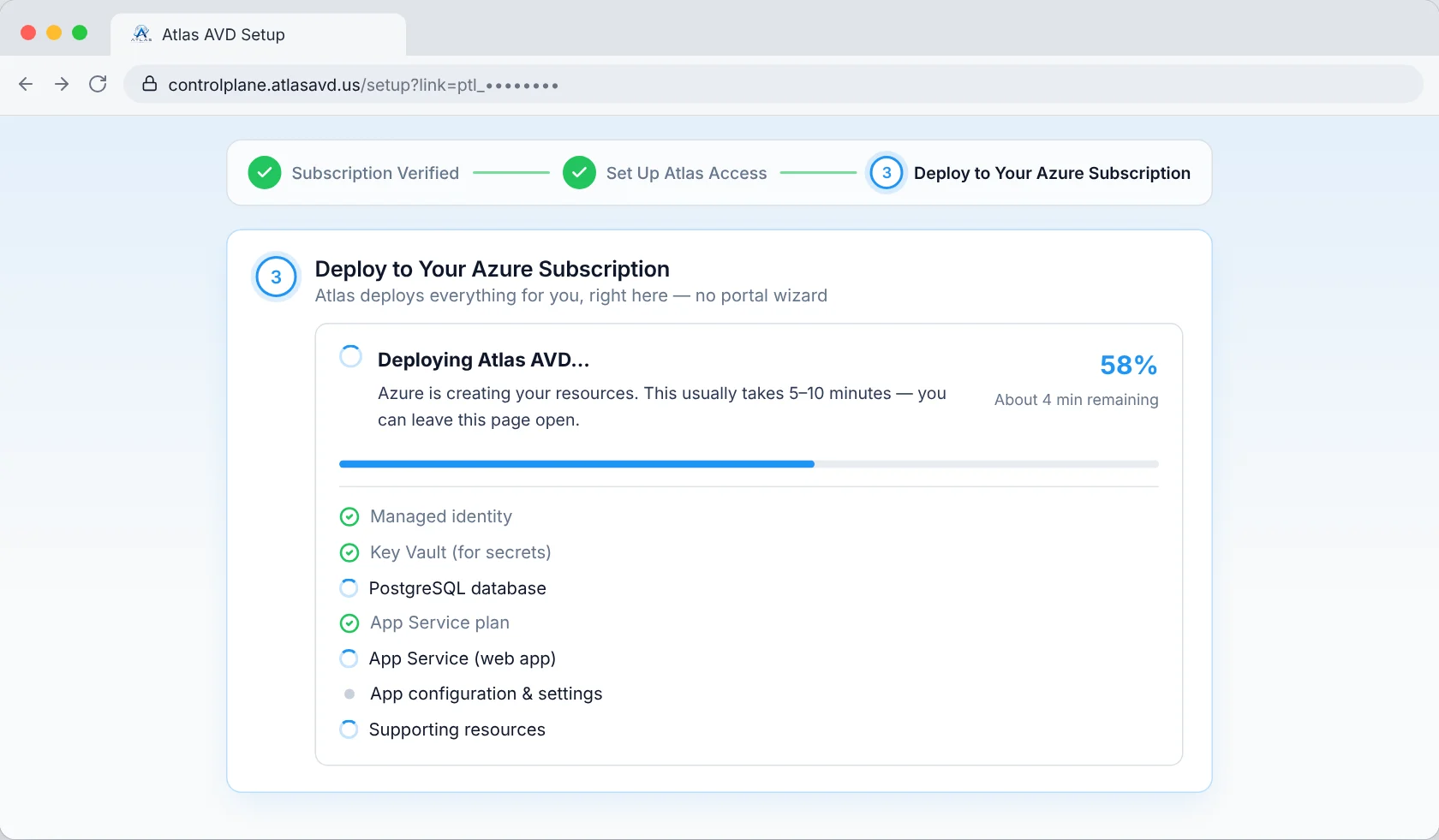
The Atlas AVD setup page deploying into an Azure subscription, with a progress bar and a checklist of Azure resources
Your setup page, deploying Atlas AVD into your own Azure subscription with live progress.

Start your Atlas AVD free trial and deploy into your own Azure tenant. A full 30-day trial, every feature included, no credit card required.